Tag: personal

  • Boot Camp partitioning errors: Quick fix

    Apple’s Boot Camp doesn’t play well with OSX Snow Leopard. One of the most common errors that users attempting to create a dual boot partition in Boot Camp is:

    Your Disk Cannot Be Partitioned Because Some Files Cannot Be Moved. 
Back up the disk and use Disk Utility to format the disk as a single Mac OS Extended (Journaled) volume. Restore your information to the disk and try using Boot Camp Assistant again.

    There are a lot of reported fixes for this, including backing up your entire hard drive to Time Machine, reformatting the drive, and restoring from backup.

    However, there’s a much simpler solution that worked for me that only takes a couple of minutes. I wrestled with this problem for hours. After discovering a simple solution, I figured I met as well post it here to help anyone else experiencing the same problem.

    If you’re experiencing the above error message in Boot Camp, here’s what to do:

    1. Shut down your Mac
    2. Restart while holding Command+S
    3. At the prompt, type:

    /sbin/fsck -fy

    Shut down. Restart. Open Boot Camp Assistant and partition the drive.

    For almost all users, this simple procedure alleviates the problem.

    This will start a disk check utility that will automatically fix the error that prevents a drive from partitioning within Boot Camp.
  • Yeah. So about those 2011 MacBook Pros.

    News that Intel’s Sandy Bridge processor has been delayed due to a design flaw is breaking hearts –– perhaps none more than those waiting for the much anticipated update to Apple’s MacBook Pro line.

    The MacBook Pro, already almost three months “late” for a revision, is widely expected to have Sandy Bridge.

    My guess is we won’t see MacBook Pro updates for quite awhile. At least not until summer.

    Good news, though. Apple has great deals on Intel Core 2 Duo MacBook Pro in its refurbished store.

  • Why Dropbox is better than everything else

    dropbox.jpg

    Via Quora:

    Well, let’s take a step back and think about the sync problem and what the ideal solution for it would do:

    • There would be a folder.
    • You’d put your stuff in it.
    • It would sync.

    They built that.

    Why didn’t anyone else build that? I have no idea.

    “But,” you may ask, “so much more you could do! What about task management, calendaring, customized dashboards, virtual white boarding. More than just folders and files!”

    No, shut up. People don’t use that crap. They just want a folder. A folder that syncs.

    “But,” you may say, “this is valuable data…certainly users will feel more comfortable tying their data to Windows Live, Apple Mobile Me, or a name they already know.”

    No, shut up. Not a single person on Earth wakes up in the morning worried about deriving more value from their Windows Live login. People already trust folders. And Dropbox looks just like a folder. One that syncs.

    “But,” you may say, “folders are so 1995. why not leverage the full power of the web? With HTML 5 you can drag and drop files, you can build intergalactic dashboards of stats showing how much storage you are using, you can publish your files as RSS feeds and tweets, and you can add your company logo!”

    No, shut up. Most of the world doesn’t sit in front of their browser all day. If they do, it is IE 6 at work that they are not allowed to upgrade. Browsers suck for these kinds of things. Their stuff is already in folders. They just want a folder. That syncs.

    That is what it does.

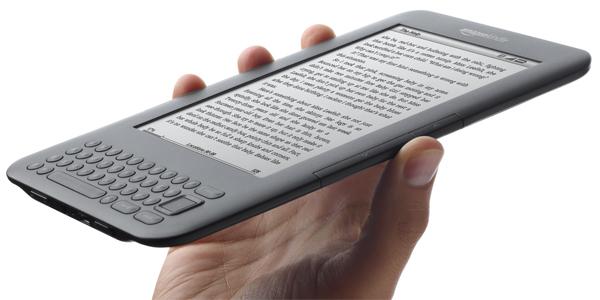
  • How to publish your eBook on Amazon

    Lifehacker offers a short guide on how to turn your musings into a finished product in the Amazon Kindle Store:

    • Write your book in Microsoft Word and save it as a .doc file. Skip the .rtf and .docx formats. They don’t play nicely with the Kindle.
    • Pay attention to how you format your text. Bolding, italicizing, and indenting are no problem, but steer clear of bullets, headers, footers, and fancy fonts.
    • Any images you use need to be in .jpeg format with center alignment. Remember that the Kindle can only show images in grayscale.
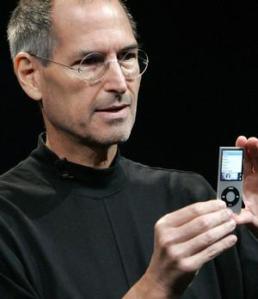
  • What will be the last Steve Jobs inspired Apple product?

    For many tech enthusiasts, the thought of Steve Jobs not coming to work is pretty uncomfortable to bear. News today that Jobs was again taking a leave of absence from Apple and leaving CFO Tim Cook in charge had me deliberating which product would considered to be Jobs last — his swan song — if his leave were to somehow become a permanent departure.

    The iPhone 4, despite antennae problems, was an explosive success for Apple and continues to have a major affect not just on the smartphone industry but on how consumers expect to receive and parse information. The second iteration of the MacBook Air was also successful, but nowhere near the mark of the iPhone. MacBook Pro is due for a refresh. Pros haven’t had a full refresh in 279 days, and average 208 days. We should seen see an update here, but probably nothing beyond processor speed bumps. (This is actually killing me since I desperately want a MacBook Pro, but hesitate to purchase until the latest model.)

    Apple TV is still fledgling; it’s impact on the home theatre and content distribution won’t be realized for some time.

    I realize that the subtext here suggests that Apple products will lose a certain luster without Jobs around to manage development and personalities, and while that’s debatable, what’s for certain is that the core Apple fanatics will even further scrutinize Apple products for signs of an absence of Jobs’ brilliance after he’s no longer contributing to the company.

  • Lend Kindle books to friends and family

    Today Amazon quietly rolled out a feature that lets Kindle owners share Kindle ebooks:

    • Eligible Kindle books can be loaned once for a period of 14 days.
    • The borrower does not need to own a Kindle — Kindle books can also be read using our free Kindle reading applications for PC, Mac, iOS, etc.
    • Not all books are lendable.

    The biggest catch is that once you lend a book, you can’t read it for the 14-day period, as with a printed copy. 

  • Four predictions for 2011

    1. Smarter access to information. Open data and transparency are barely on the radar but will begin to boom in 2011. A new generation of users are viewing information as fluid and dynamic. Third-party developers are building apps that do amazing things with your data across a variety of platforms, including mapping and visualizing. Design is on the verge of mattering less than accessibility of content.

    2. E-readers drive mobile information. The Nook and Kindle haven’t had much play as anything but book readers. But 2011 will see a major shift toward more portable information, expanding from mobile phones to readers and tablets. The Kindle and iPad are still king.

    3. Video. We haven’t seen the online video revolution yet, but it’s around the corner. It’s coming in such a way that major telcos like Time-Warner are lobbying hard to restructure the Internet so that content can be throttled and divided among subscription tiers. If you stream Netflix or play online games, you’re on Big Telco’s shit list. New methods of indexing video will emerge.

    4. The death of the Internet marketing/guru/ninja/expert. These people, who you see on Twitter and Facebook pushing their consulting and freelance services, will dwindle in volume. Having followers no longer makes you a guru. Innovation in communication, marketing and technical design will again be firmly rooted within this field, and not just to those who self-proclaim their expertise. Good riddance.

  • What Wikileaks really tells us about government and policy

    If there was ever a question that information wants to be free, look no further than the Wikileaks story.

    Governments — and especially those of us who work within them — haven’t fully identified the intersection of social connectivity and electronic data management.

    The upper levels of government, foreign policy and national security keep secrets. By definition, that’s what many agencies do. As citizens, we must accept this fact. Secrets can keep peace. Secrets win wars. But secrets also can destroy trust, hide criminal acts, and threaten civil liberties.